New AI Models on Pixraft (October 2026): Kling 3.0, Veo 3.1, Seedance 2.5, Nano Banana Pro, GPT Image 2 and More
Kling 3.0, Veo 3.1, Seedance 2.5, Wan 3.0, Nano Banana Pro, GPT Image 2, Eleven v3 and more are live in Pixraft. What each model is for and where to find it.
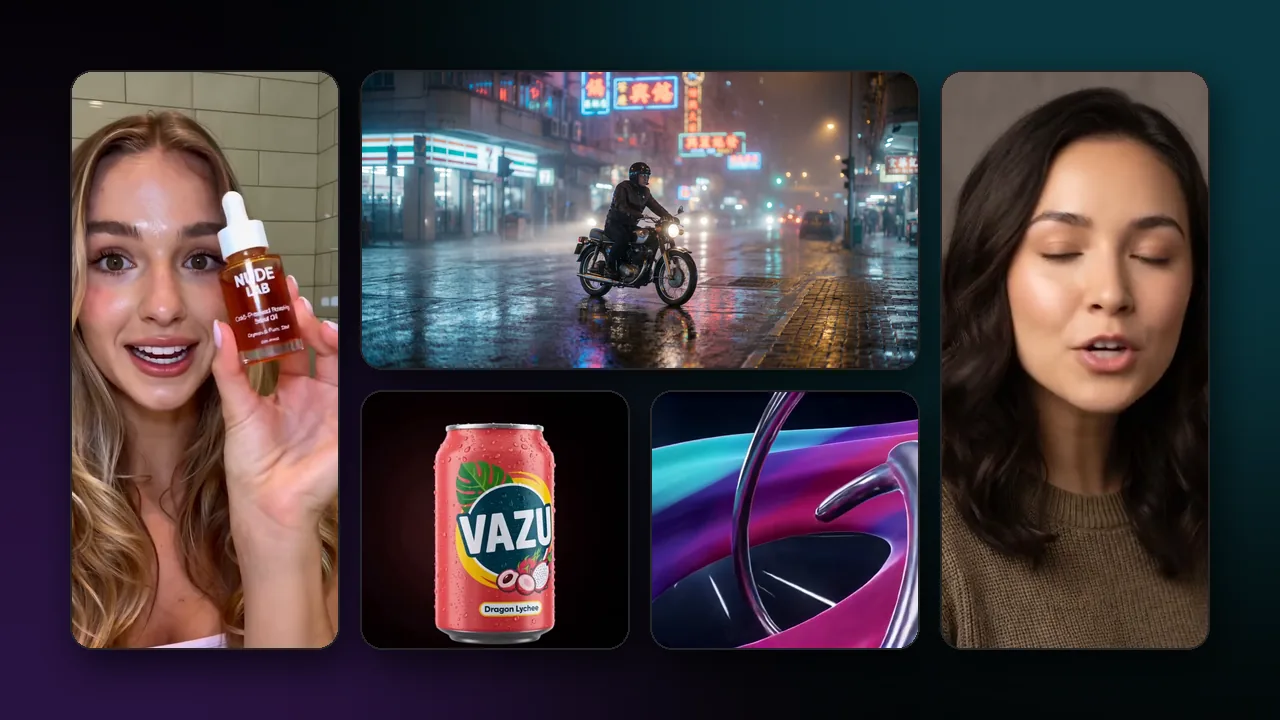
Pixraft's catalog now includes the latest model generations from Kuaishou, Google, ByteDance, Alibaba, OpenAI, Black Forest Labs, ElevenLabs, and others. Kling 3.0 and the Kling O3 series, Veo 3.1, Seedance 2.5, Wan 3.0, Nano Banana Pro, GPT Image 2, Seedream 5.0, and Eleven v3 are all now live in Pixraft, alongside 15 more video, image, and audio models listed below.
Some of these models arrived in earlier catalog updates, such as the Wan 3.0 and Seedance 2.5 release. This post collects the current lineup in one place, with what each model is documented to do and which studio runs it. Every model uses the same credit balance, and the exact credit cost is shown before each generation.
Which new AI video models are live in Pixraft?
Eleven video models and families are now live in Video Studio. The table summarizes what each is for; the sections below cover the four headline families in more detail.
| Model | Maker | What it's for | Where in Pixraft |
|---|---|---|---|
| Kling 3.0 and O3 | Kuaishou | Text-to-video, image-to-video, and video editing, with native audio, 3 to 15 second clips, and 4K tiers | Video Studio |
| Veo 3.1 | Google DeepMind | Native 1080p clips with synchronized audio, up to 4K, plus Fast and Lite tiers | Video Studio |
| Seedance 2.5 | ByteDance | 4 to 30 second clips with native audio, multimodal references, and video editing | Video Studio |
| Wan 3.0 | Alibaba | 2 to 30 second clips with first/last-frame and reference guidance | Video Studio |
| Happy Horse 1.1 | Alibaba | Cinematic 720p and 1080p clips from text, an image, or references | Video Studio |
| FLUX.3 Video | Black Forest Labs | Text, image, and start-to-end-frame video, with draft tiers | Video Studio |
| LTX-2.5 | Lightricks | Synchronized audio and video at resolutions up to 4K | Video Studio |
| Luma Ray 3.2 | Luma AI | New clips, plus re-rendering or reframing footage you already have | Video Studio |
| Vidu Q3 | ShengShu Technology | Ad and drama modes, start-and-end frames, and multi-entity reference-to-video | Video Studio |
| Hailuo 2.3 | MiniMax | Physics-aware scenes in 768p and 1080p, with fast tiers | Video Studio |
| Grok Imagine Video 1.5 | xAI | Short clips from a prompt, an image, or up to seven references | Video Studio |
Kling 3.0 and the O3 series
Kling V3.0 comes in Standard, Pro, and 4K variants for text-to-video and image-to-video. Clips run 3 to 15 seconds, a sound setting adds native audio, and image-to-video accepts an end frame.
Kling V3 Turbo is a separate tier: Turbo Standard is described as fast and affordable at 720p, and Turbo Pro outputs 1080p. The Kling O3 series adds reference-to-video with up to seven images and natural-language video editing, such as removing objects or changing daytime to dusk.
Veo 3.1
Veo 3.1 and Veo 3.1 Fast generate 4, 6, or 8 second clips at 720p, 1080p, or 4K, in 16:9 or 9:16, with audio on by default. Image-to-video accepts a last frame, and reference-to-video keeps a subject consistent from up to three reference images. Veo 3.1 Lite is described as optimized for cost efficiency and runs at 720p or 1080p.
Seedance 2.5
Seedance 2.5 generates 4 to 30 seconds per clip, from 480p up to 4K, in six aspect ratios including 21:9, with native audio on by default. Its text-to-video variant accepts reference images, videos, and audio in one request, image-to-video takes a first and an optional last frame, and a video-edit variant rewrites lighting, style, weather, or specific elements of an existing clip. Turbo variants run at 720p or 1080p.
Wan 3.0
Wan 3.0 and Wan 3.0 Prime generate 2 to 30 second clips at 480p, 720p, or 1080p in five aspect ratios, with optional audio and prompt expansion. Image-to-video starts from a first frame with optional last-frame guidance, and reference-to-video combines up to ten images, five videos, and five audio references.
The rest of the video lineup
Luma Ray 3.2 is the one to try when you already have footage: its video-edit mode re-renders a source clip from a prompt while keeping the original motion and timing, and its reframing mode changes the aspect ratio and fills the new canvas. Vidu Q3 includes an ad mode that builds ad-oriented clips from up to seven reference images. LTX-2.5 and FLUX.3 Video both generate 5 to 20 second clips with sound, and FLUX.3 adds start-to-end-frame and draft variants.
Which new AI image models are live in Pixraft?
Eight image models and families are now live in Image Studio, covering generation, editing with reference images, vectors, and fast drafts.
| Model | Maker | What it's for | Where in Pixraft |
|---|---|---|---|
| Nano Banana Pro | Gemini 3 Pro Image: 4K-capable generation and multi-image editing | Image Studio | |
| Nano Banana 2 | Gemini 3.1 Flash Image: fast, 4K-capable images and edits | Image Studio | |
| GPT Image 2 | OpenAI | Images and edits from natural language, with multiple references | Image Studio |
| Seedream 5.0 | ByteDance | Multi-reference generation, editing, and layer decomposition | Image Studio |
| Qwen Image 3.0 | Alibaba Qwen | Standard and Pro tiers for generation and instruction editing | Image Studio |
| Recraft V4.1 | Recraft | Raster images and editable SVG vectors from one prompt | Image Studio |
| Krea 2 | Krea | Aesthetic-first images at 1K to 2K, with style references | Image Studio |
| Grok Imagine Image 2.0 | xAI | Text-to-image and edits with resolution and quality controls | Image Studio |
Nano Banana Pro, the popular name for Gemini 3 Pro Image, generates at 1K, 2K, or 4K, its edit variant accepts up to 14 images, and Ultra variants offer 4K and 8K. Nano Banana 2 (Gemini 3.1 Flash Image) spans 0.5K to 4K, supports very wide and tall ratios such as 4:1 and 1:8, and has a Fast variant.
GPT Image 2 offers low, medium, and high quality at 1K, 2K, or 4K, and its edit variant takes up to 16 reference images. Seedream 5.0 Pro edits with up to 10 references and can split one image into a base image and transparent layers, while Seedream 5.0 Lite has sequential modes that produce a consistent set of up to 15 images. For a use-case comparison, read Best AI image generators in 2026.
Which new AI audio models are live in Pixraft?
Four audio models are now live in Audio Studio, for speech, music, and guided audio.
| Model | Maker | What it's for | Where in Pixraft |
|---|---|---|---|
| Eleven v3 | ElevenLabs | Expressive speech, with a Timing variant that returns word timestamps for subtitles | Audio Studio |
| Lyria 3 | Music tracks from a text prompt, with optional image input, in Pro and Clip versions | Audio Studio | |
| MiniMax Music 3.0 | MiniMax | Complete songs with vocals and instrumentals from lyrics, or instrumental-only tracks | Audio Studio |
| Seed Audio 1.0 | ByteDance | Speech and audio guided by a voice, reference audio, or an image | Audio Studio |
A voice-over from Eleven v3 can go straight into Lip Sync Studio when a face needs to speak it. The talking avatar guide walks through that workflow.
Which new model should you start with?
Start from the job, not the model name:
- Dialogue or sound in the same pass: Veo 3.1, Kling V3.0 with sound on, or Seedance 2.5.
- Shots that must line up: Kling V3.0 image-to-video (start and end frame) or Wan 3.0 (first and last frame), then join the clips in your editor.
- A single clip longer than 15 seconds: Seedance 2.5 or Wan 3.0, both up to 30 seconds.
- Editing footage you already have: Kling O3 Video Edit, Seedance 2.5 Video Edit, or Luma Ray 3.2.
- Product images that must match a real product: Nano Banana Pro, GPT Image 2, or Seedream 5.0 edit with reference photos.
- Logos and icons: Recraft V4.1 text-to-vector.
- Narration with subtitles: Eleven v3 Timing.
For video, the Kling 3.0 vs Veo 3.1 vs Seedance 2.5 vs Wan 3.0 comparison goes through each use case in more depth.
How do you try a new model in Pixraft?
- Open Video Studio, Image Studio, or Audio Studio.
- Search the model picker for the model name and choose the variant that matches your input: text, an image, references, or an existing clip.
- Set the options the model offers, such as duration, resolution, aspect ratio, and audio. The studio only shows the settings the selected model supports.
- Check the credit cost on the Generate button. Images start at 2 credits; video and audio costs depend on the model and settings such as length and resolution.
- Generate a short test before a long or high-resolution version, and save the prompt and settings of anything you may want to reproduce.
What does "now live" mean?
It means the model is in Pixraft's catalog and can be selected in the studio today. It is not a quality ranking, and it does not mean every model fits every brief. Provider schemas and limits can change, so the model pages and the live form in the studio are the source of truth.
Failed generations, and outputs blocked by automated content moderation, are refunded to your balance automatically. Sora is not part of the lineup: OpenAI shut down the Sora API on September 24, 2026, and the Sora alternative page covers what to use instead.
New accounts get 50 free credits after signup, with no card required, so you can try the new models before buying credits.
Questions answered
- What new AI models are available on Pixraft in October 2026?
- For video: Kling 3.0 and the Kling O3 series, Veo 3.1, Seedance 2.5, Wan 3.0, Happy Horse 1.1, FLUX.3 Video, LTX-2.5, Luma Ray 3.2, Vidu Q3, Hailuo 2.3, and Grok Imagine Video 1.5. For images: Nano Banana Pro, Nano Banana 2, GPT Image 2, Seedream 5.0, Qwen Image 3.0, Recraft V4.1, Krea 2, and Grok Imagine Image 2.0. For audio: Eleven v3, Lyria 3, MiniMax Music 3.0, and Seed Audio 1.0.
- Is Veo 3.1 available on Pixraft?
- Yes. Veo 3.1, Veo 3.1 Fast, and Veo 3.1 Lite are in Pixraft Video Studio. Veo 3.1 and Fast generate 4, 6, or 8 second clips at 720p, 1080p, or 4K with synchronized audio, and Lite is a tier described as optimized for cost efficiency, at 720p or 1080p. The exact credit cost is shown before you generate.
- Which of the new models generate video with sound?
- According to their model documentation, Veo 3.1, Kling V3.0, the Kling O3 series, Seedance 2.5, Wan 3.0, FLUX.3 Video, LTX-2.5, and Vidu Q3 can generate audio together with the picture. On most of them, sound is a setting you can switch on or off in the model form.
- Is Sora available on Pixraft?
- No. OpenAI shut down the Sora API on September 24, 2026, so Sora can no longer generate video anywhere, including Pixraft. Veo 3.1, Kling 3.0, Seedance 2.5, and Wan 3.0 cover the same text-to-video and image-to-video work, and all four can generate sound with the picture.
- How much does it cost to try the new models?
- New accounts get 50 free credits after signup, with no card required. Each generation is priced in credits from the model and the settings you choose, images start at 2 credits, and the exact cost is shown on the Generate button before you commit. Failed generations are refunded automatically.
Sources
Related articles
Explore Pixraft Multi-Model Studio
Generate images with Nano Banana Pro and FLUX, video with Kling 3.0, Veo 3.1 & Seedance 2.5, and lip-synced audio in one workspace.
Create Free Account →