Kling 3.0 vs Veo 3.1 vs Seedance 2.5 vs Wan 3.0: Which AI Video Model Should You Use?
Kling 3.0, Veo 3.1, Seedance 2.5, and Wan 3.0 compared by use case: native audio, references, long clips, frame control, edits, 4K, and cost tiers.
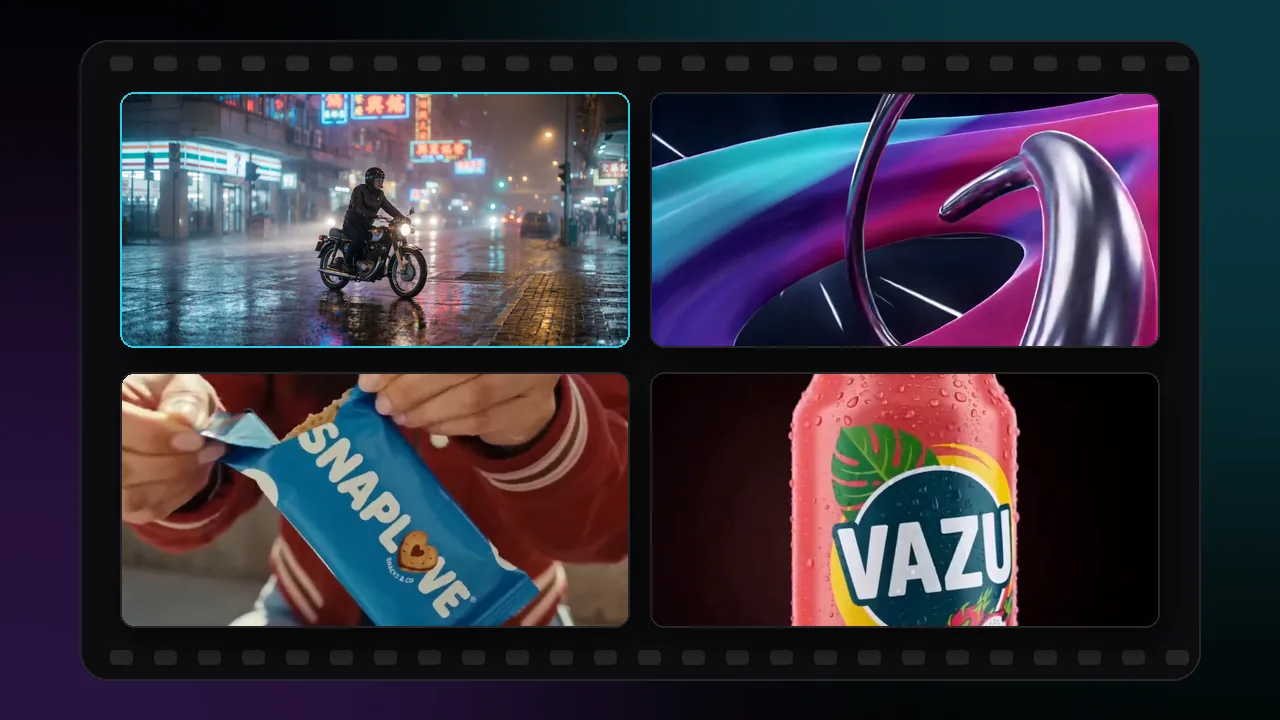
Kling 3.0, Veo 3.1, Seedance 2.5, and Wan 3.0 can all turn text or an image into video with sound, so the choice comes down to the shot. Kling 3.0 covers 3 to 15 second clips with 4K variants and a fast Turbo tier, Veo 3.1 makes 4 to 8 second clips with synchronized audio at up to 4K, Seedance 2.5 handles clips of up to 30 seconds with many references plus video editing, and Wan 3.0 offers 2 to 30 second clips with first/last-frame and reference guidance.
This comparison is based on each model's documented settings in Pixraft's catalog. It is not a quality ranking, and it leaves out Sora, which OpenAI discontinued in September 2026. Our earlier Sora, Veo, Kling, and Wan comparison has the background.
How do Kling 3.0, Veo 3.1, Seedance 2.5, and Wan 3.0 compare?
| Spec | Kling 3.0 | Veo 3.1 | Seedance 2.5 | Wan 3.0 |
|---|---|---|---|---|
| Clip length | 3 to 15 seconds | 4, 6, or 8 seconds | 4 to 30 seconds | 2 to 30 seconds |
| Top resolution | 4K variants; Turbo Pro 1080p, Turbo Standard 720p | 4K on Veo 3.1 and Fast; Lite up to 1080p | 4K; Turbo up to 1080p | 1080p |
| Native audio | Sound setting on V3.0 and O3 | On by default on Veo 3.1 and Fast | On by default | On by default |
| Aspect ratios | 16:9, 9:16, 1:1 | 16:9, 9:16 | Six, including 21:9 | Five, including 4:3 and 3:4 |
| End frame | V3.0 and O3 image-to-video | Image-to-video last frame | Image-to-video last frame | Image-to-video last frame |
| References | O3: up to 7 images | Up to 3 images | Up to 30 images, 10 videos, 10 audio clips | Up to 10 images, 5 videos, 5 audio clips |
| Video edit | O3 Video Edit | No edit variant | Video Edit and Video Edit Turbo | No edit variant |
| Other tiers | V3 Turbo Standard and Pro | Fast and Lite | Turbo variants | Prime |
All four are in Pixraft's Video Studio. The family pages for Kling, Veo, Seedance, and Wan list every variant with its supported lengths and resolutions.
How do you build a multi-shot sequence with AI video?
Build the sequence one shot at a time, with any of the four models. Frame controls help the cuts line up: Kling 3.0 image-to-video accepts an end frame, and Wan 3.0 takes a first frame with optional last-frame guidance.
The workflow is the same for every model. Generate each shot separately, reuse the same reference image or last frame to keep continuity, and join the clips in your editor.
Which AI video model is best for native audio and dialogue?
All four can generate sound with the picture. Veo 3.1 is documented with synchronized audio at native 1080p, with audio on by default on Veo 3.1 and Veo 3.1 Fast. Seedance 2.5 describes native audio-visual synchronization, Wan 3.0 has an audio switch that is on by default, and Kling V3.0 and the O3 series have a sound setting.
Generated dialogue is a draft, not a final mix. When the exact words matter, record or generate the voice in Audio Studio and sync it with Lip Sync Studio instead of relying on the video model's speech.
Which AI video model is best for product ads?
For a product that must stay accurate, start from references rather than text alone. Seedance 2.5 text-to-video accepts up to 30 reference images plus reference videos and audio. Wan 3.0 reference-to-video takes up to 10 images, 5 videos, and 5 audio clips. Veo 3.1 reference-to-video preserves a subject's appearance from up to three images, and Kling O3 reference-to-video takes up to seven images of characters, props, or scenes.
More references do not automatically make a shot more consistent. Use clean product photos from the angles the shot needs, and keep the motion simple, such as a slow push-in or a single rotation.
When one product still already looks right, use image-to-video with it as the first frame, so the product is locked before motion is added. For presenter-led ads with an AI actor, see how to make AI UGC video ads.
Which AI video model makes the longest clips?
Seedance 2.5 (4 to 30 seconds) and Wan 3.0 (2 to 30 seconds) have the longest per-clip ranges of the four. Kling 3.0 runs 3 to 15 seconds, and Veo 3.1 offers 4, 6, or 8 seconds.
Longer is not the same as better. A 30-second clip can still contain drift, unwanted motion, or timing problems, so test the action at a shorter length first and extend it once the motion holds.
Which AI video model can edit an existing video?
Seedance 2.5 Video Edit rewrites lighting, style, weather, environment, or specific elements of an input clip from a prompt, while the source clip drives identity, composition, and motion. Kling O3 Video Edit takes natural-language instructions, such as removing objects or changing daytime to dusk, with optional reference images.
Veo 3.1 and Wan 3.0 have no edit variant in Pixraft's catalog. To reframe footage to a new aspect ratio, see Luma Ray 3.2 in the October 2026 model roundup.
Which AI video model should you use for 4K?
Kling V3.0 4K and Kling O3 4K, Veo 3.1 and Veo 3.1 Fast, and Seedance 2.5 all offer 4K output. Wan 3.0 tops out at 1080p.
Resolution affects the credit cost, so approve the shot at 720p or 1080p first, then render the final version at 4K.
Which tiers keep costs down while you iterate?
Each family has a tier for iteration:
- Veo 3.1 Lite is described as optimized for cost efficiency, at 720p or 1080p and 4, 6, or 8 seconds.
- Kling V3 Turbo Standard is described as fast and affordable at 720p, and Turbo Pro outputs 1080p.
- Wan 3.0 has a standard tier and a Prime tier; compare their live credit costs for your settings.
- Seedance 2.5 Turbo variants run at 720p or 1080p. Turbo does not automatically mean cheaper, so compare the live credit cost before you choose.
The exact credit cost for every model, length, and resolution is shown on the Generate button before you commit, and failed generations are refunded automatically. The credit budgeting guide covers planning a batch.
How should you test the four models fairly?
- Write one shot brief with subject, action, camera, environment, and timing, using the video prompt framework.
- Use the same first frame or reference images for every model.
- Match the length where you can; 8 seconds is available on all four.
- Generate two or three takes per model and count the usable ones.
- Record the variant, settings, retries, and credit cost of each take.
- Choose per shot, not per project: one sequence can mix models.
So which AI video model should you choose?
- Kling 3.0 for 3 to 15 second clips, 4K variants, and a fast Turbo tier.
- Veo 3.1 for short clips with synchronized audio at up to 4K, with Fast and Lite tiers.
- Seedance 2.5 for long clips with many references, six aspect ratios, and video editing.
- Wan 3.0 for 2 to 30 second clips with first/last-frame and multimodal reference guidance.
The AI video generator page lists every video model in Pixraft, including the families not covered here.
Questions answered
- Which is better, Kling 3.0 or Veo 3.1?
- Neither is better for every shot. Kling 3.0 offers 3 to 15 second clips, a sound setting, an end-frame option for image-to-video, and 4K variants. Veo 3.1 offers 4, 6, or 8 second clips at up to 4K with synchronized audio on by default, plus Fast and Lite tiers. Test the same brief on both and compare usable takes and cost.
- Which AI video model makes the longest clips?
- Of these four, Seedance 2.5 generates 4 to 30 seconds per clip and Wan 3.0 generates 2 to 30 seconds. Kling 3.0 runs 3 to 15 seconds and Veo 3.1 offers 4, 6, or 8 seconds. Longer clips can still drift, so test the action at a shorter length first.
- Do Kling 3.0, Veo 3.1, Seedance 2.5, and Wan 3.0 generate sound?
- Yes, all four can generate audio with the picture. Veo 3.1, Seedance 2.5, and Wan 3.0 have audio on by default, and Kling V3.0 and the O3 series have a sound setting you switch on. For exact dialogue, generate the voice separately and sync it with a lip sync model.
- What is the cheapest way to test these video models?
- Use the iteration tiers and short, lower-resolution tests. Veo 3.1 Lite is described as optimized for cost efficiency, and Kling V3 Turbo Standard as fast and affordable at 720p. Length and resolution both affect the price, which Pixraft shows before each generation. New accounts get 50 free credits after signup, with no card required.
- Is Sora 2 still an option?
- No. OpenAI shut down the Sora API on September 24, 2026, so Sora 2 can no longer generate video on Pixraft or anywhere else. Veo 3.1, Kling 3.0, Seedance 2.5, and Wan 3.0 cover the same text-to-video and image-to-video work, and all four can generate sound with the picture.
Sources
Related articles


Explore Pixraft Multi-Model Studio
Generate images with Nano Banana Pro and FLUX, video with Kling 3.0, Veo 3.1 & Seedance 2.5, and lip-synced audio in one workspace.
Create Free Account →